EffiDo
Productivity
Without
The Noise.
Concept design for a cross-device productivity app that unifies task management, calendar, and Pomodoro timer in one surface — synced across Desktop, iPad, and SmartWatch.
UI/UX Designer · Concept Exploration
Born from jumping between a Pomodoro timer and a calendar every session — EffiDo puts both in one surface.
Desktop · iPad · SmartWatch — one synced data layer
Labels as the core org system — categories + accessibility
Led directly to WPMU DEV product design role
Product Walkthrough
Full walkthrough covering all five screens — Dashboard, Today, Upcoming, Pomodoro Timer, and Task List.
From scattered tools
to one unified surface.
Pomodoro timer in one tab.
Calendar in another.
Task list in a third app.
Every productivity workflow required constant context switching. No single view showed what was due, what was in progress, and how much focused time was left. The cognitive load of managing tools was eating into the work itself.
One app. Dashboard, timer,
calendar, and task list —
synced and side by side.
EffiDo consolidates every productivity surface into five screens. The Dashboard gives you the full picture at a glance. Today maps your schedule. Upcoming holds the calendar. Pomodoro runs the session. Task List tracks every project. All data syncs across Desktop, iPad, and SmartWatch.
Three pain points.
Three screens built to fix them.
Separate apps needed to complete one focused work session — timer, calendar, and task list all living in different tabs or devices.
Context SwitchingExisting tools offered zero cross-device sync — a task marked done on desktop wasn't reflected on mobile or wearable without manual effort.
No Device SyncNo unified view of what's scheduled today alongside how many Pomodoro rounds remain — planning and execution lived in completely separate mental models.
Split Mental ModelYour productivity
command centre.
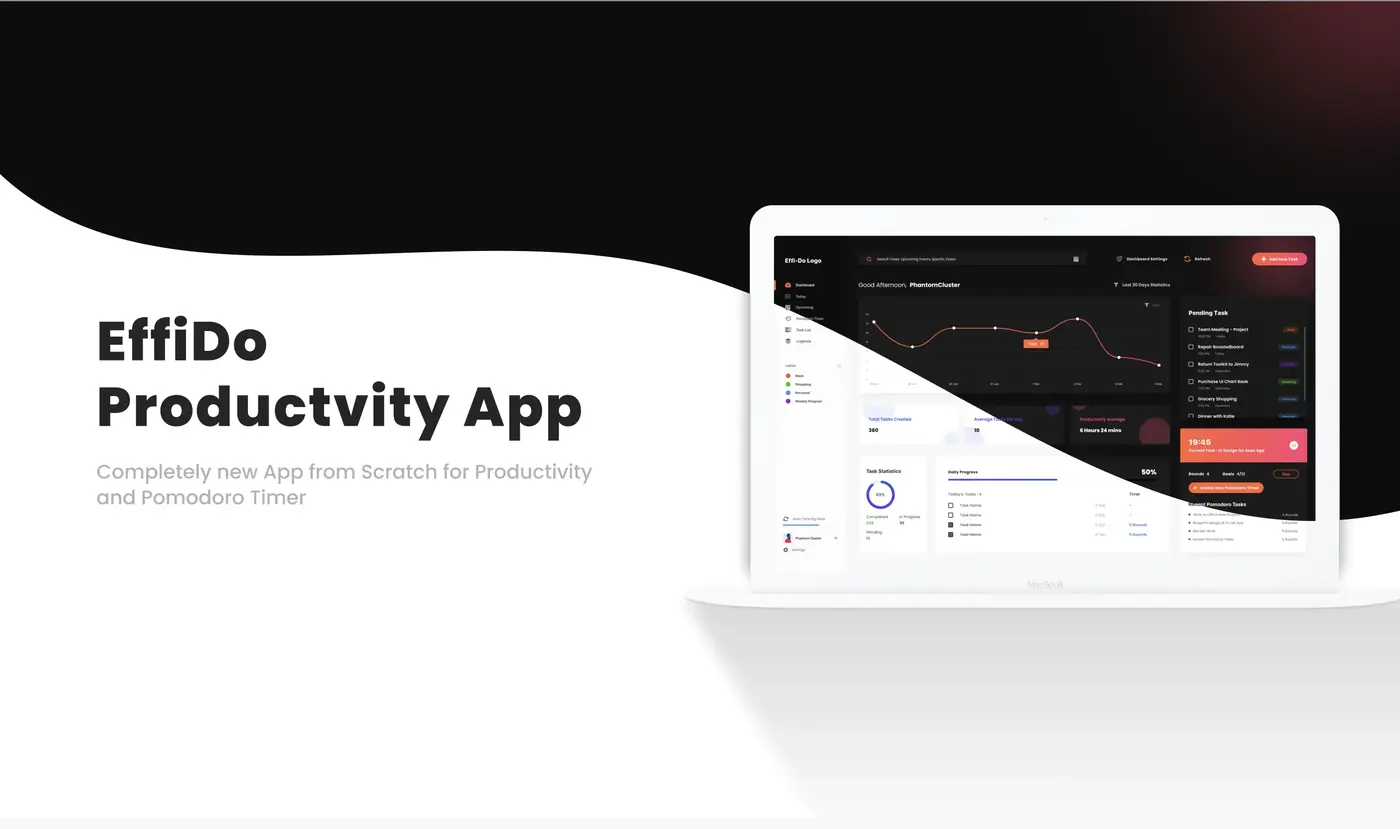
Everything you need to orient your day — without opening a second app. The Dashboard surfaces your 30-day performance graph, key task stats, a live Pomodoro session widget, and pending tasks by label in a single glanceable view. Syncs across Desktop, iPad, and SmartWatch every 30 seconds.
- Performance graph visualising task activity over 30 days
- Total Tasks Created · Average Tasks Per Day · Productivity Average
- Task Statistics donut: Completed / In Progress / Pending counts
- Pending Task panel organised by label — Work, Personal, Shopping…
- Live Pomodoro widget: current task, timer, resume / pause
- Daily Progress bar showing rounds completed per task
- Auto-syncs across Desktop, iPad, and SmartWatch every 30 seconds
Light Mode
Dark Mode
Every hour of
your day — mapped.
A time-blocked hourly timeline that turns your task list into a schedule. Hover any block to read full details — time window, location link, notes, attendees — without leaving the view. Add quick notes, create new tasks, and mark things complete all from the same screen.
- Hourly time-blocked timeline from morning to evening
- Label colour-coding — tasks are instantly categorised by colour
- Hover a task block to read full details inline
- Add quick notes to Today without creating a formal task
- Create new tasks directly from the Today view
- Mark tasks complete; pending overflow visible in the right panel
- Today's Task counter: tasks done out of total, with percentage
Light Mode
Dark Mode
Day, week,
month — one tap.
A full calendar view of everything ahead. Switch between Day, Week, Month, or a custom date range with a single tap. Every task and meeting block is colour-coded by label so the shape of your week is immediately readable — no legend required.
- Day / Week / Month view — switch with one tap
- Custom date range preview for precise planning
- Filter by any Label — isolate Work, Personal, Side Project…
- Collaborator avatars on shared events and meetings
- Meeting blocks include location link and attendee list
- Tasks and events share the same timeline — no context switch
Light Mode
Dark Mode
The feature that
started everything.
EffiDo was born because switching between a Pomodoro timer and a calendar every session added up to too much friction. This screen closes that loop — your sessions, your schedule, and your task list live side by side. Every completed session feeds directly into the Dashboard stats.
- Session header: estimated time, tasks to complete, completed today
- Pin any project to the sidebar — always visible, always in reach
- Work pattern Overview chart: Day / Week / Month / Year
- Ongoing Tasks list with per-task Resume and Stop controls
- Work Efficiency donut with colour-coded category breakdown
- Rounds and completion tracking per task
- All session data syncs to Dashboard reports automatically
Light Mode
Dark Mode
A card for every
project. A status
for every card.
Three categories give you the full picture at a glance. Working: actively in a Pomodoro session. In Progress: started, no active timer. Recently Complete: finished with exact completion date. Every project card includes a cover image so you recognise it instantly without reading the title.
- Working — projects with an active Pomodoro session running
- In Progress — started but no timer active right now
- Recently Complete — finished, with exact completion date shown
- Cover image on every card for instant visual recognition
- Label badge and due date on every card
- Collaborator avatars: see exactly who is connected to each project
- Cards are colour-coded by your Labels system
Light Mode
Dark Mode
The
Problem
Productivity tools are scattered. Calendar in one tab. Pomodoro timer in another. Task list somewhere else. Every context switch adds friction — and the apps built to reduce cognitive load end up multiplying it. Effido started from a personal frustration: having to jump between a calendar and a Pomodoro timer every single work session.
Process
& Strategy
Mapped the full productivity workflow from planning (Upcoming) to execution (Pomodoro + Today) to review (Dashboard), then designed each screen to feed into the next. Labels became the central organisation system — every task gets a label, every view filters by it, every insight reports by it. Designed with full light and dark mode parity using Inter and Poppins, with a blue-primary palette and label-specific accent colours.
Workflow Mapping
Mapped the full productivity lifecycle from planning (Upcoming) → execution (Pomodoro + Today) → review (Dashboard). Each screen owns exactly one phase.
Label System as Core
Labels became the primary organisation layer — colour-coded categories that filter across every screen. One label touch-point, universal effect.
Full Light + Dark Theming
Every screen ships in both modes using Inter for UI copy and Poppins for display headings. Blue as the primary accent.
The
Solution
A five-screen productivity app — Dashboard, Today, Upcoming, Pomodoro Timer, and Task List — all sharing the same underlying data, synced across Desktop, iPad, and SmartWatch. Labels categorise every task and double as an accessibility aid. Today's timeline lets you hover a task to read full details and add new tasks without leaving the view. Upcoming supports custom date ranges alongside Day, Week, and Month. Pomodoro pins your most important project and shows live work efficiency. Task cards show collaborator avatars so you can see who is currently connected to a project.
Where it Led.
The piece that opened the WPMU DEV door.
This concept, alongside the WordPress admin redesign, were the two pieces that led directly to the WPMU DEV product design role. Effido demonstrated product thinking under real constraints — identifying a genuine friction point and designing a cohesive multi-screen, multi-device solution from scratch.
A product is a system problem, not a screen problem.
The challenge wasn't designing one great screen — it was ensuring five screens felt like one coherent product. Labels as the data spine. Each screen owning exactly one phase. Sync as a design constraint, not a feature.
Dashboard Command Centre
Performance graph, task stats donut, live Pomodoro widget, and pending tasks by label — all on a single glanceable screen.
Time-Blocked Today View
Hourly timeline that turns your task list into a schedule. Hover any block to read full details inline without leaving the view.
Upcoming Calendar
Day / Week / Month / Custom range. Every task and meeting colour-coded by label — shape of your week readable in one glance.
Pomodoro Timer
Sessions, schedule, and task list side by side. Every completed round feeds directly into Dashboard stats automatically.
Task List + Collaborators
Working / In Progress / Recently Complete. Collaborator avatars on every card so you see who is connected to each project.
Light & Dark Full Theming
Every screen ships in both modes. Colour-coded label system works across both themes for instant visual categorisation.